
Change your day as you go
Plans change once you’re in the park. Magic Carpet already gives you a way to change what you’re doing in the moment, using the Do Something Else feature. But now you can also change the rest of your day from the Live Guide.
See your whole day
In the Live Guide, tap View All under your upcoming plans to open “Your day”. It starts with what you’re doing now and lists everything still to come today. Tap ⋯ on any activity to change it.
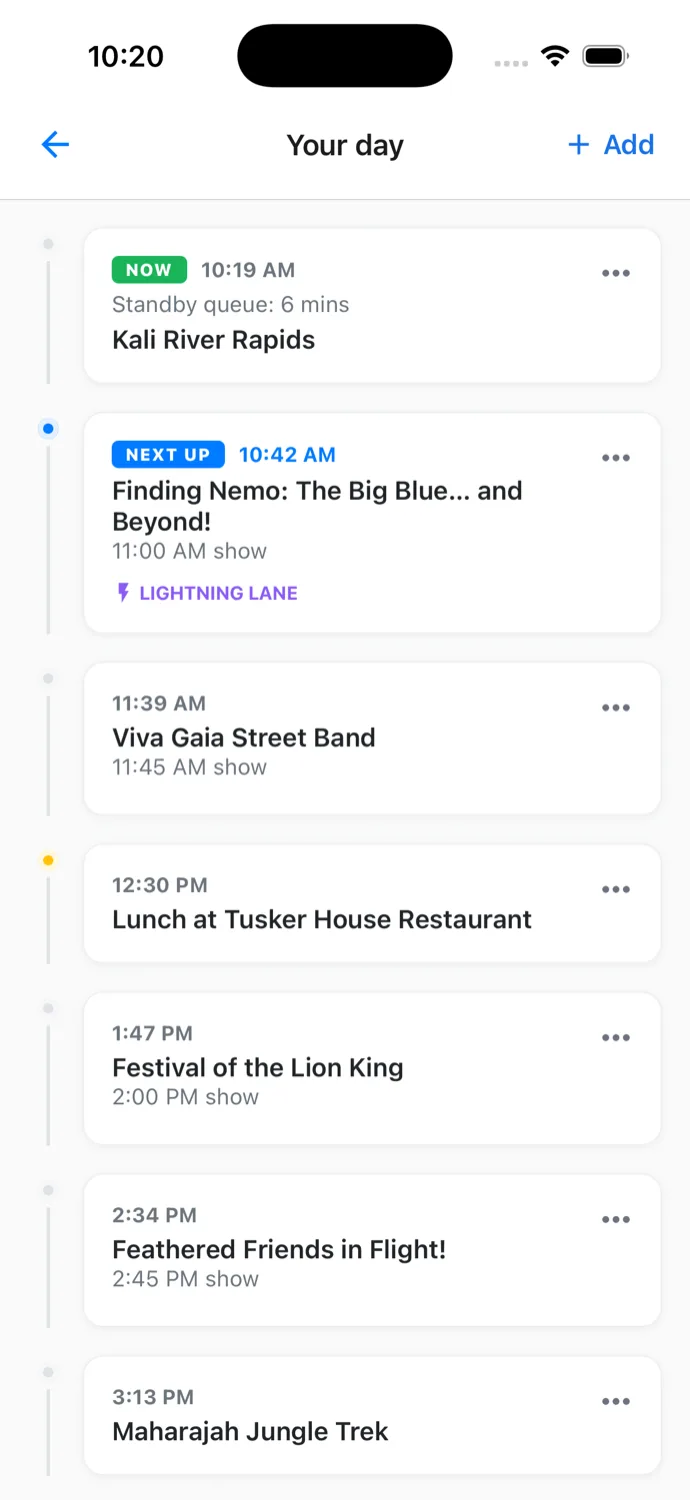
Move something
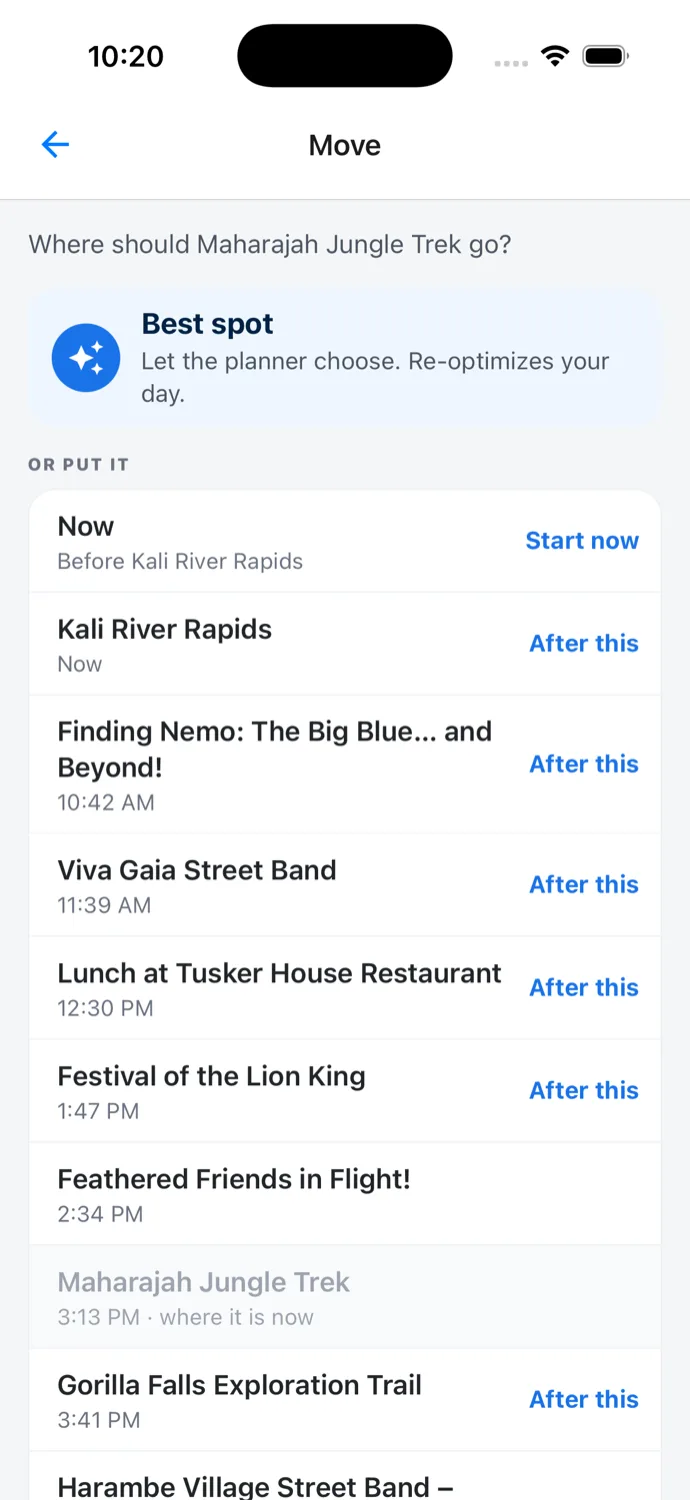
Tap Move… and pick where it goes. Put it after any activity in your day, tap Start now to do it right away, or tap Best spot and let Magic Carpet find the best place for it.
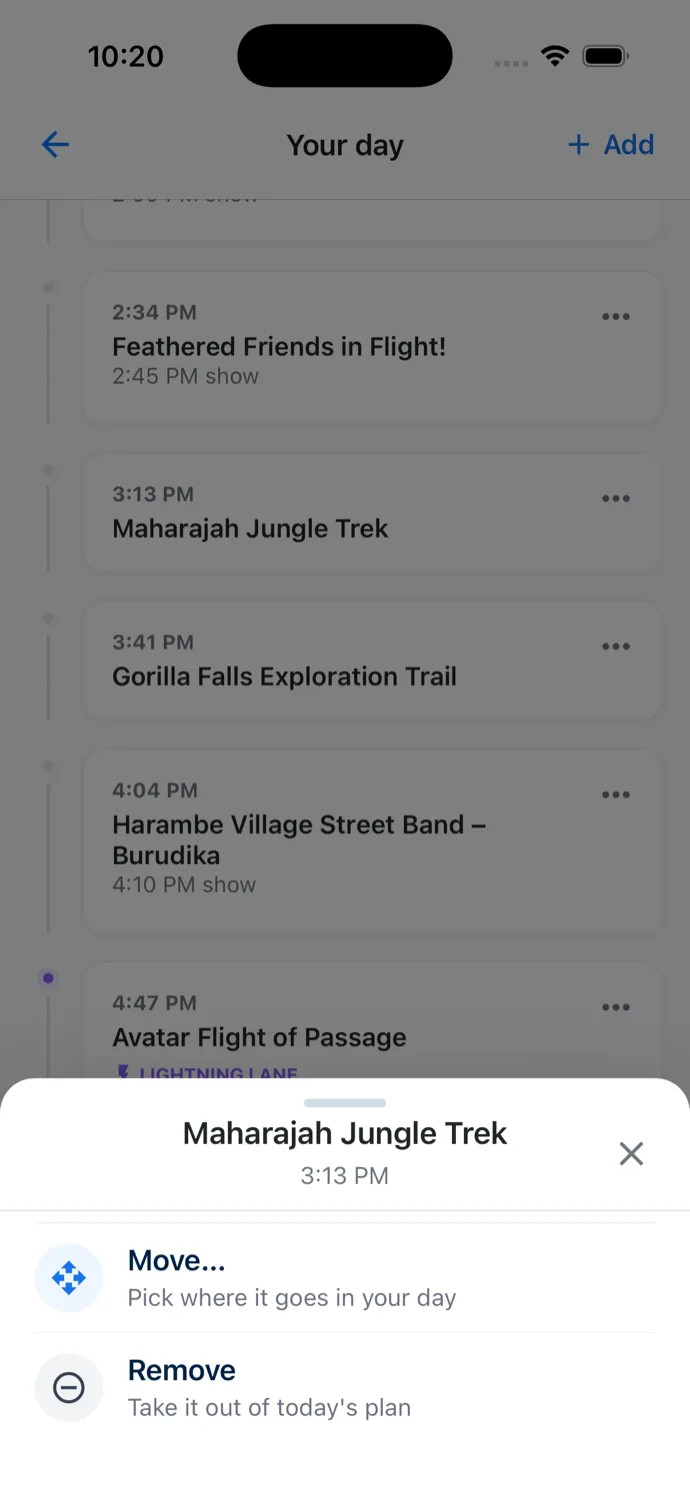
Remove or add
Remove takes an activity out of today’s plan. + Add, beside “Upcoming Plans” in the Live Guide or at the top of Your day, adds an attraction or a break, and you pick where it goes the same way.
Breaks, shows and leaving the park
Change a break’s restaurant, length or time. Pick another showtime, or a different spot to watch a parade or the fireworks from. Tap Leave the park at the bottom of Your day to set when you want to head out.
The rest of your day keeps up
Magic Carpet works each change into the rest of your day. When a change would cost you another activity, you’ll see which one before anything is saved, and you can go ahead or tap RE-OPTIMIZE to have Magic Carpet rework the rest of your day around it. Changed your mind? Tap UNDO.
If there’s another change you’d like to make to your day, tell me through the beta feedback form.