
Plan your whole trip

Now you can plan a full Disney World trip, including which park to visit on which day and which days to take a rest. Magic Carpet suggests how to arrange your trip to avoid the predicted crowds. You can tweak everything. If you want to go to Magic Kingdom on your first day, want an extra rest day, or want to go to Hollywood Studios three times, it’s all possible.

Getting suggestions

After setting your dates, you have a blank slate. You can tap each day to choose a park, or tap Fill in all 5 days for me and Magic Carpet shows you its suggested parks.
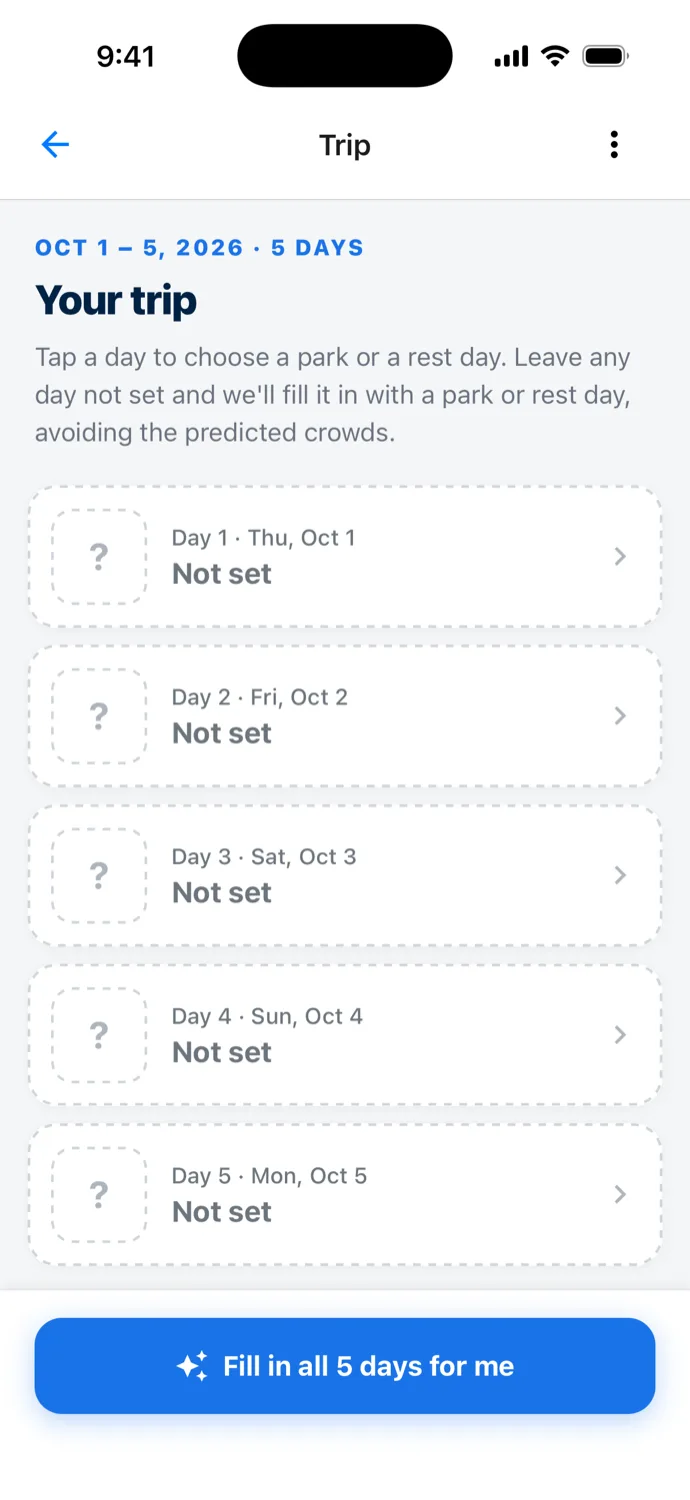
The Trip screen headed Oct 1 to 5, 2026, 5 days, Your trip, with the hint Tap a day to choose a park or a rest day. Leave any day not set and we'll fill it in with a park or rest day, avoiding the predicted crowds. Five dashed cards from Day 1, Thu, Oct 1 to Day 5, Mon, Oct 5 each read Not set, above a button reading Fill in all 5 days for me.
A new five-day trip, every day Not set.
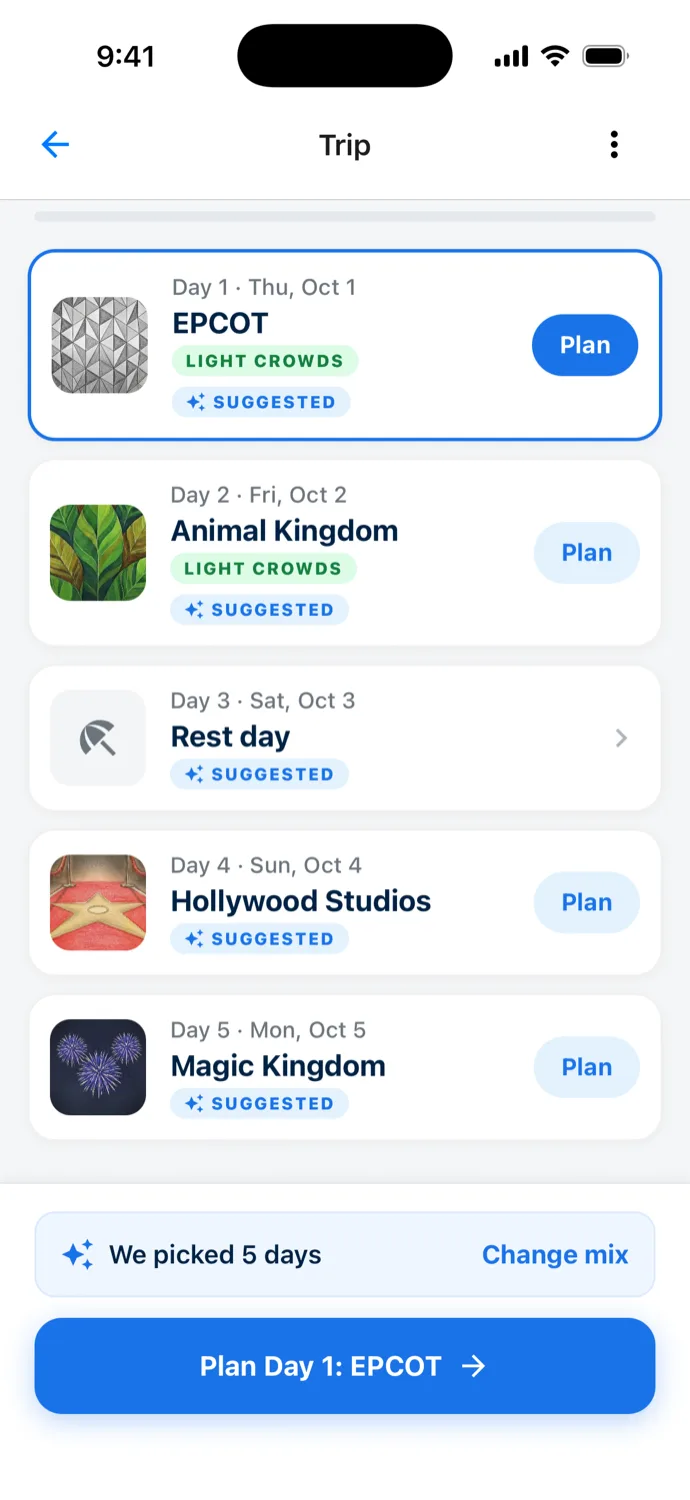
The same Trip screen after Fill in, with a Plan button on each park day: Day 1, Thu, Oct 1, EPCOT, Light crowds, Suggested, highlighted; Day 2, Fri, Oct 2, Animal Kingdom, Light crowds, Suggested; Day 3, Sat, Oct 3, Rest day, Suggested; Day 4, Sun, Oct 4, Hollywood Studios, Suggested; Day 5, Mon, Oct 5, Magic Kingdom, Suggested. A bar reads We picked 5 days with a Change mix link, above a Plan Day 1: EPCOT button.
One tap later, a park or a rest day on every day.

Magic Carpet puts each park on a day with lighter predicted crowds and suggests rest days as well. The longer your trip is, the more rest days it will suggest.

Tap a suggested day to see why

Tap a suggested day and its sheet opens with the reason at the top. For Day 4, it reads: “We suggested Hollywood Studios: We predict it will have lighter crowds than the other parks.”
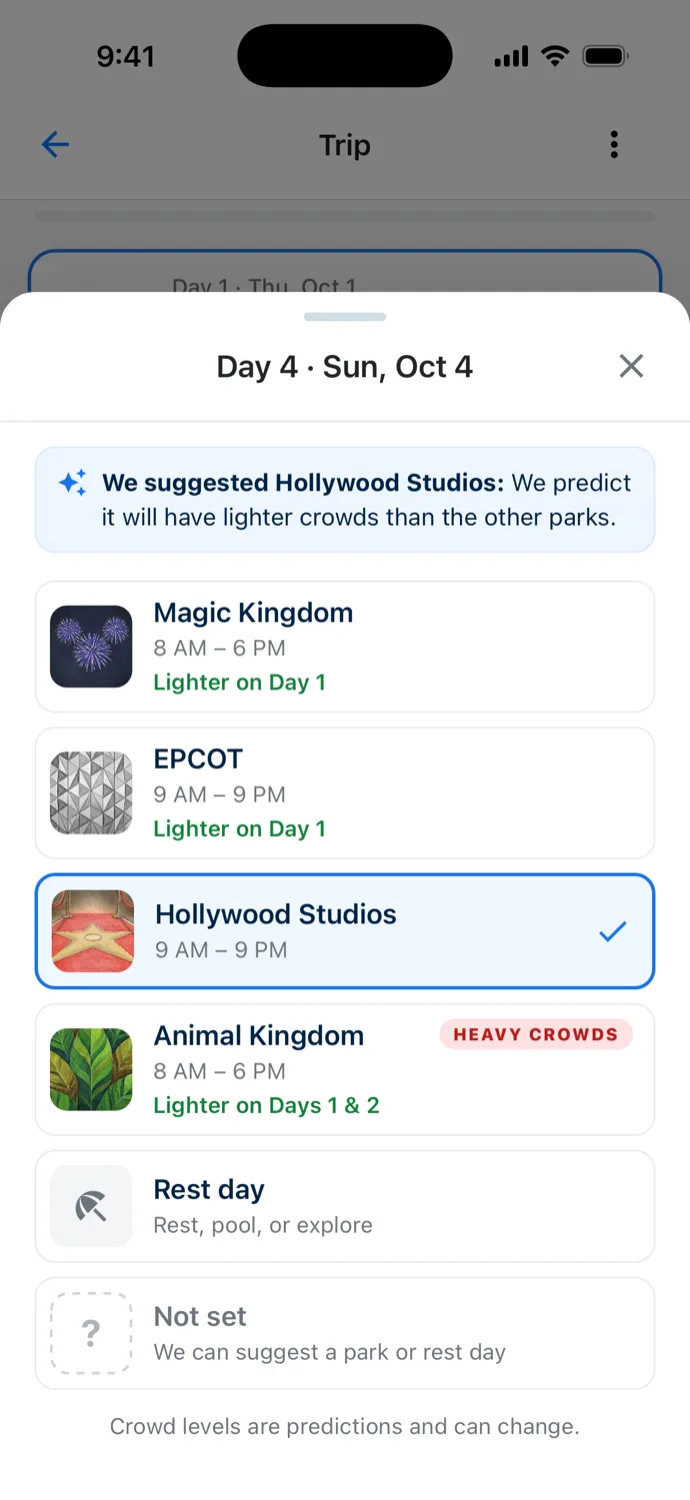
A sheet titled Day 4, Sun, Oct 4, with a strip reading We suggested Hollywood Studios: We predict it will have lighter crowds than the other parks. The options are Magic Kingdom, 8 AM to 6 PM, Lighter on Day 1; EPCOT, 9 AM to 9 PM, Lighter on Day 1; Hollywood Studios, 9 AM to 9 PM, checked; Animal Kingdom, 8 AM to 6 PM, Heavy crowds, Lighter on Days 1 & 2; Rest day, Rest, pool, or explore; and Not set, We can suggest a park or rest day. A note at the bottom reads Crowd levels are predictions and can change.
The reason for the pick, and the days when the other parks are lighter.

Choose the park yourself

Tapping a day also lets you set it yourself. Choose a park or rest day, or choose “Not set” if you want Magic Carpet to generate a suggestion for that day.
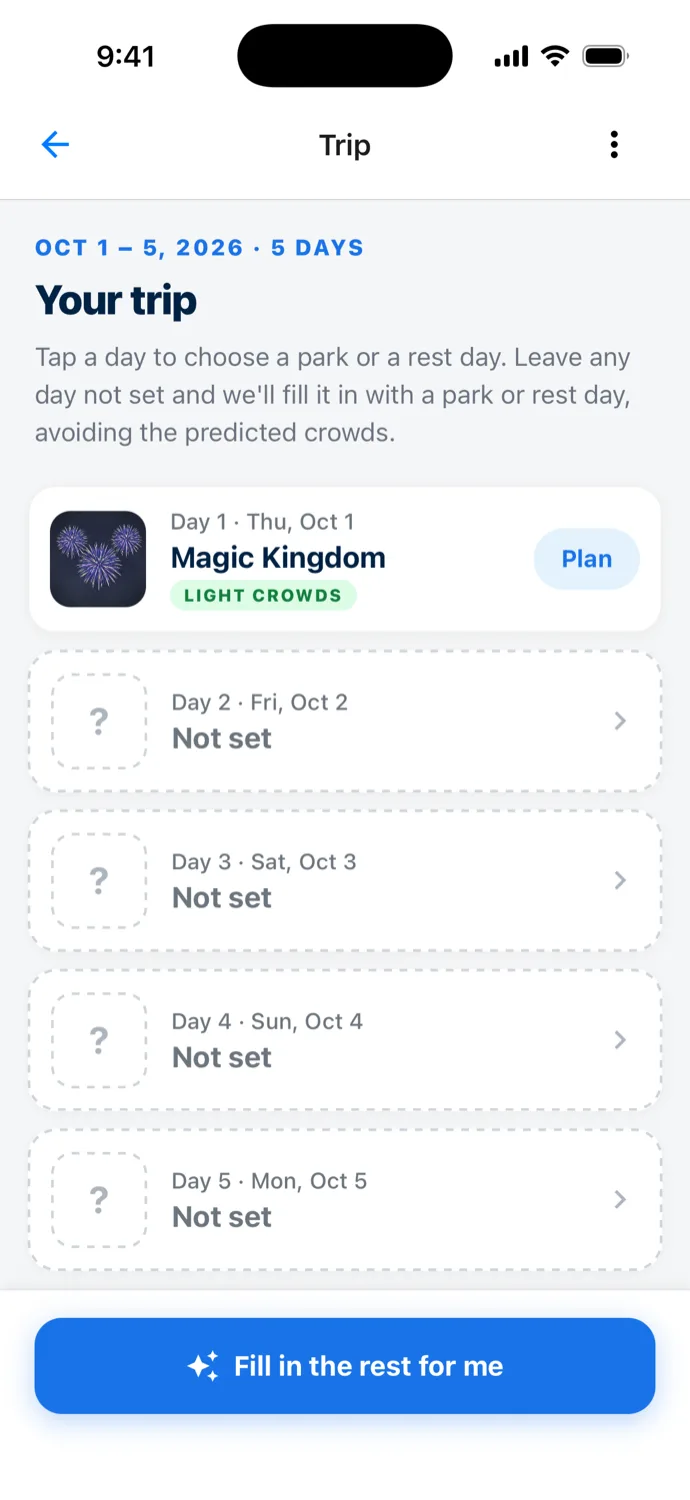
The Trip screen for Oct 1 to 5, 2026, with Day 1, Thu, Oct 1 set to Magic Kingdom, Light crowds, with a Plan button, and Days 2 to 5 Not set, above a button reading Fill in the rest for me.
Magic Kingdom on Day 1, your call. Magic Carpet fills in the rest.

When you have some days that are “Not set”, you can tap Fill in the rest for me and Magic Carpet will suggest a park or rest day for only the days you haven’t set.

Change the mix

Want Magic Kingdom twice? Right after Fill in, tap Change mix and set how many days of the trip go to each park and to rest days.
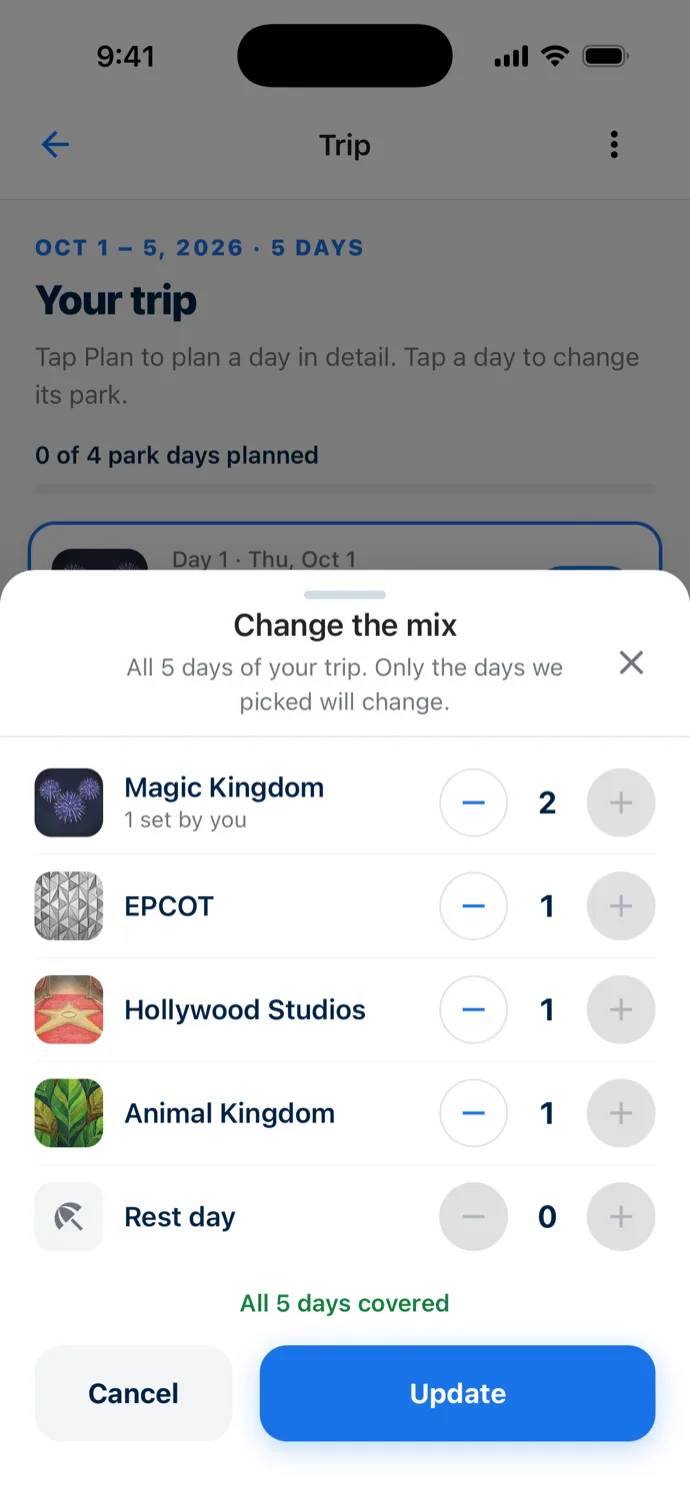
A sheet titled Change the mix, reading All 5 days of your trip. Only the days we picked will change. Counts with minus and plus buttons read Magic Kingdom 2 with the note 1 set by you, EPCOT 1, Hollywood Studios 1, Animal Kingdom 1 and Rest day 0, above the line All 5 days covered and Cancel and Update buttons.
Trading the rest day for a second Magic Kingdom day.

Tap Update and Magic Carpet rearranges the days it picked to match your mix, still aiming each park at lighter predicted crowds. Only the days it picked move. Days you set yourself stay put.
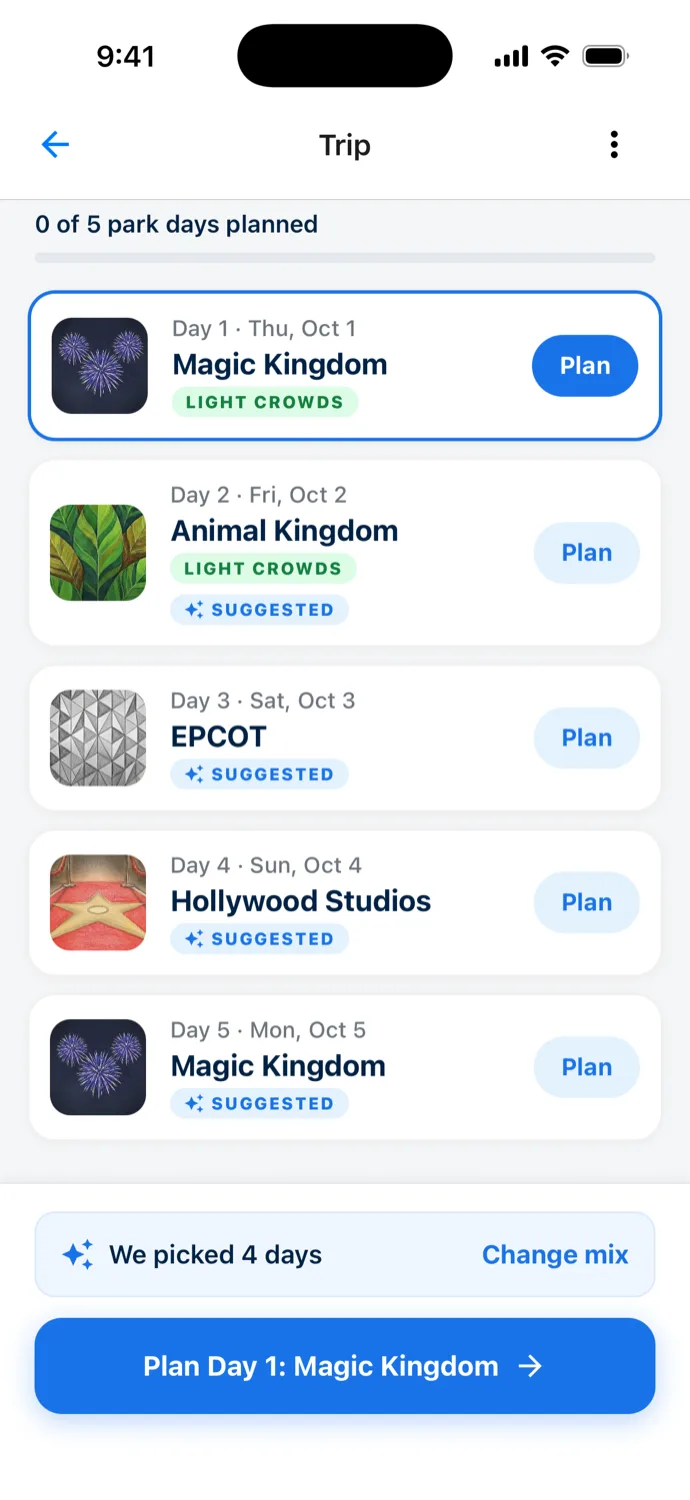
The Trip screen after Update, each park day with a Plan button: Day 1, Thu, Oct 1, Magic Kingdom, Light crowds, highlighted; Day 2, Fri, Oct 2, Animal Kingdom, Light crowds, Suggested; Day 3, Sat, Oct 3, EPCOT, Suggested; Day 4, Sun, Oct 4, Hollywood Studios, Suggested; Day 5, Mon, Oct 5, Magic Kingdom, Suggested. A bar reads We picked 4 days with a Change mix link, above a Plan Day 1: Magic Kingdom button.
Your Magic Kingdom day stays first, and a second one lands on Monday.

Plan each park day

Once a day has a park, you can plan it in detail. Tapping Plan Day 1: Magic Kingdom on the screen above opens the day planner with Magic Kingdom and Thursday, October 1, already set.

Managing your trip

All upcoming trips show up on the Home screen. Access your trip from there to edit it at any time. You can add days, remove days, switch parks, or change your plans on each date.

Magic Carpet is in beta: once you’ve planned a trip, tell me through the beta feedback form how the suggestions fit your plans.

← All updates